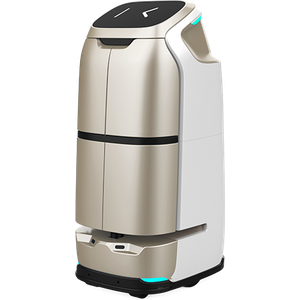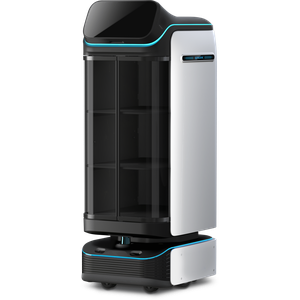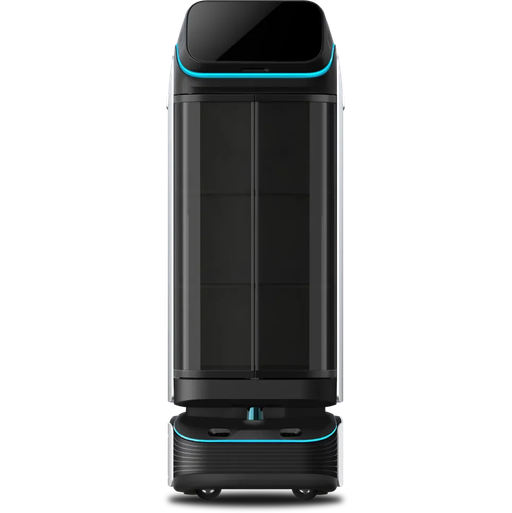
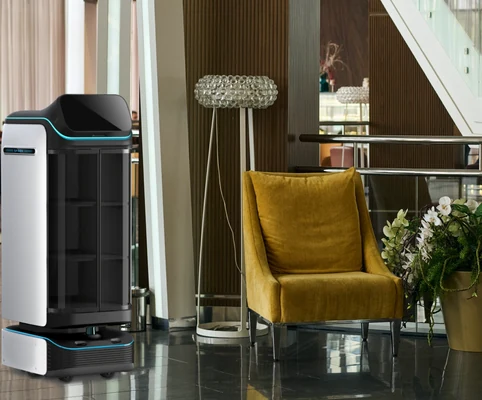
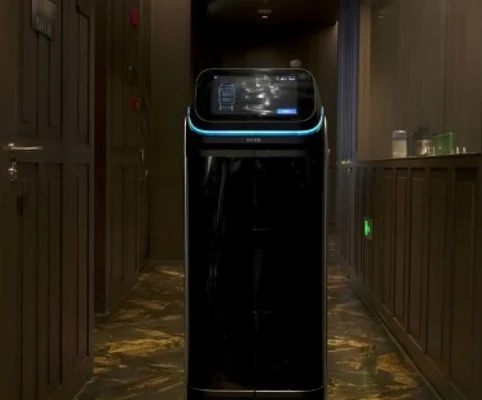

- Best for restaurants, fine dining and hotel catering
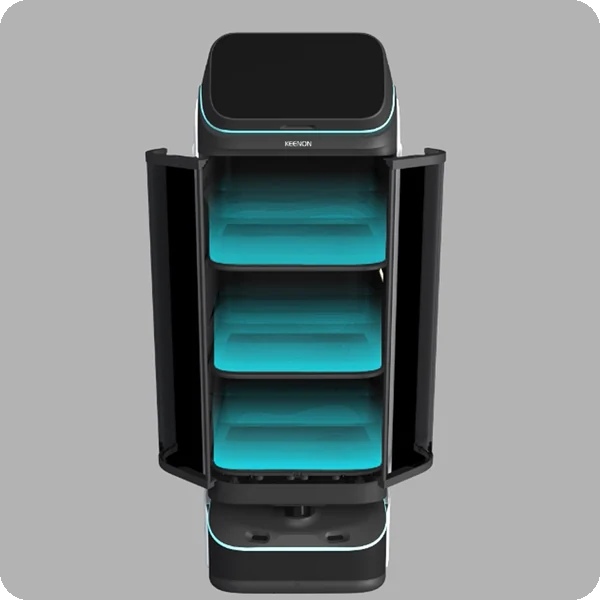
- 180 L enclosed storage for bulky and multiple deliveries
- Calls and rides lifts for floor-to-floor service
Deliver more, floor to floor, with the T3
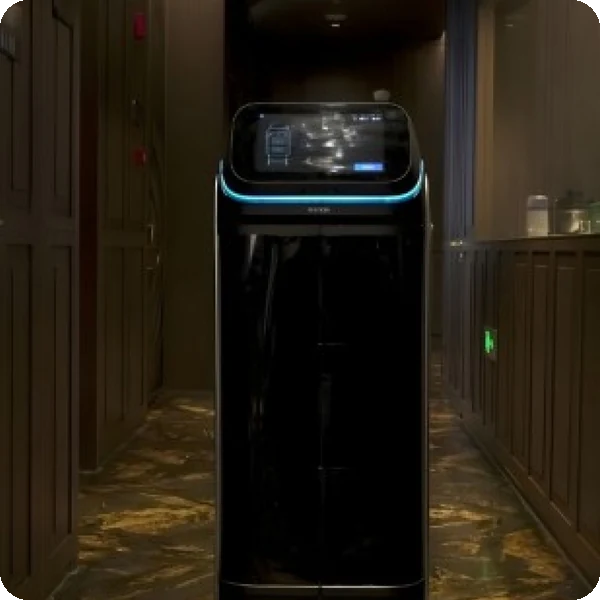
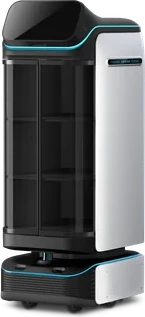
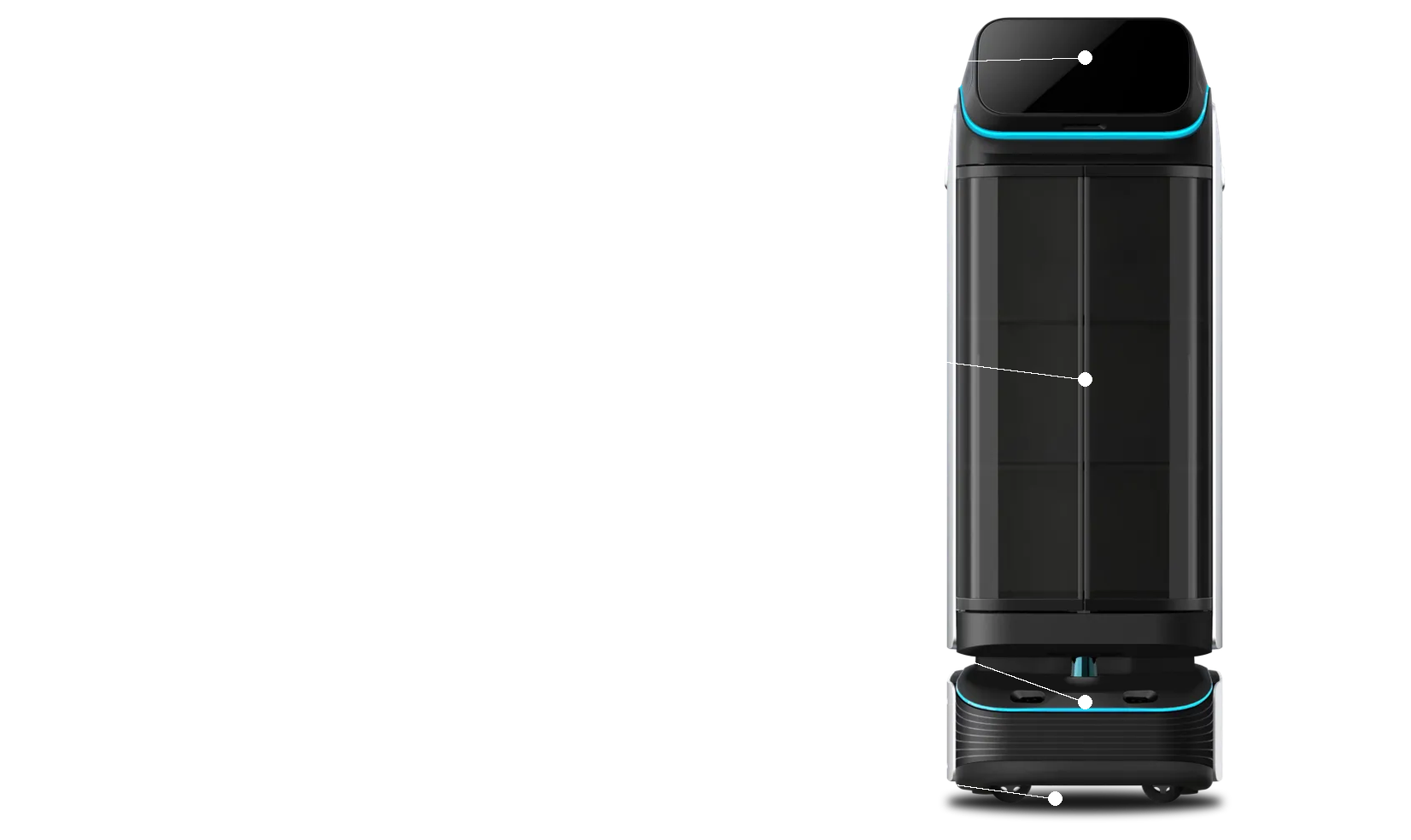
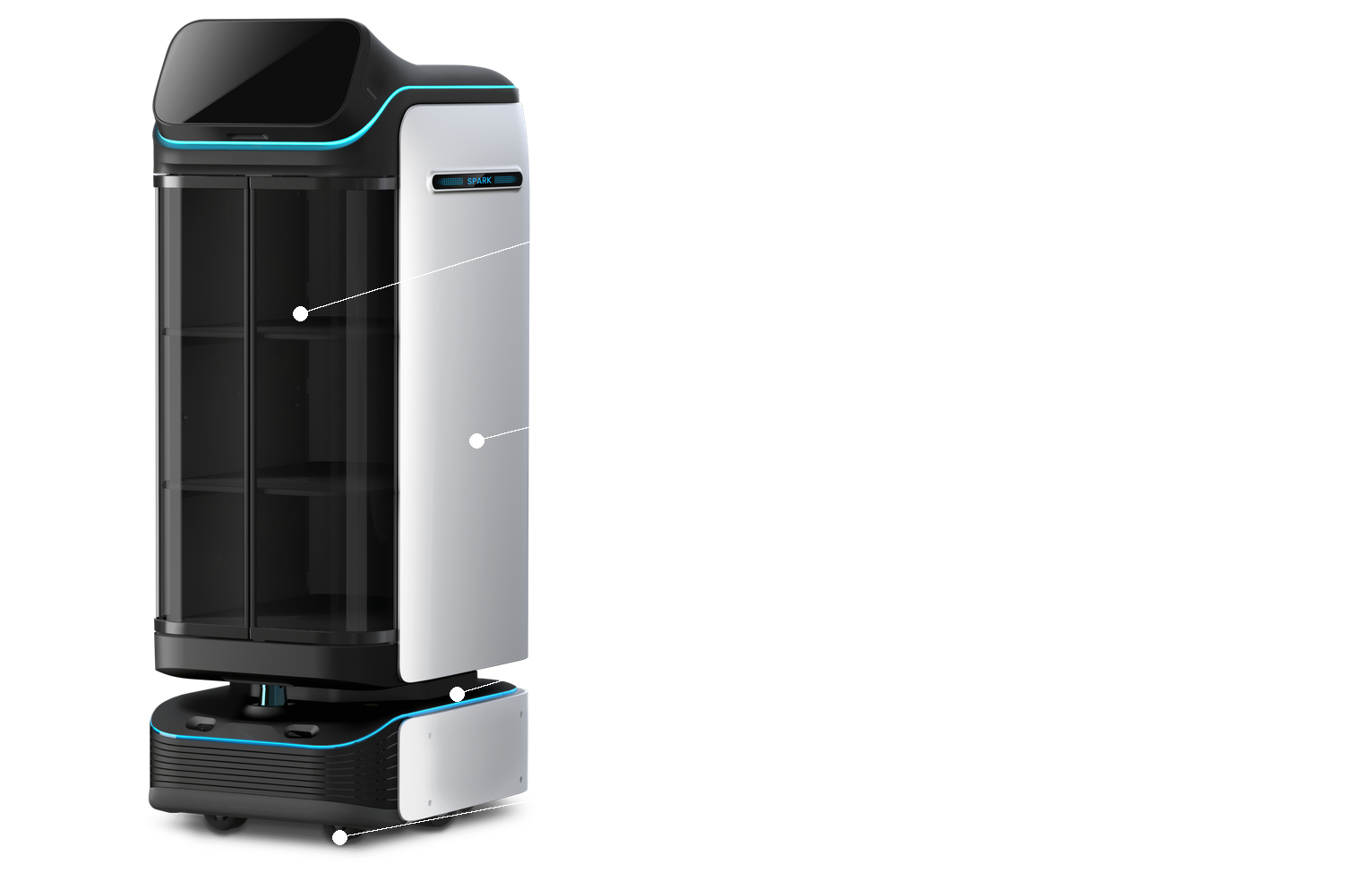
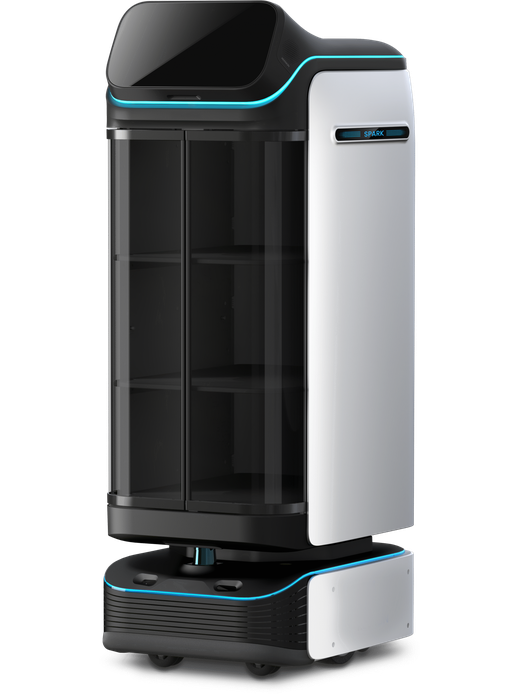
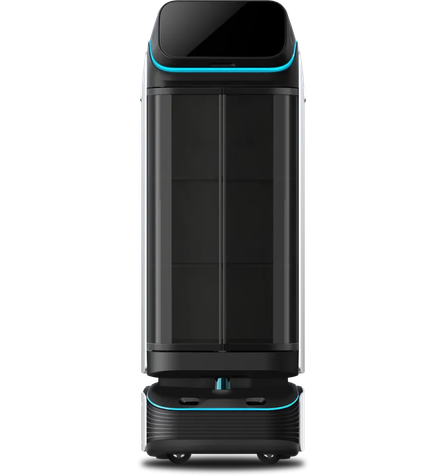
Keenon positions the T3 as the DINERBOT T3, a catering robot for dish serving and tray return, including in fine dining. With 180 L of enclosed storage, step-activated, password-secured doors, a smart touchscreen and autonomous lift riding, it moves large orders between kitchens, dining rooms and function spaces with precision.
Best for
High-capacity dish serving and tray return
Primary task
Catering delivery and tray return
Environment
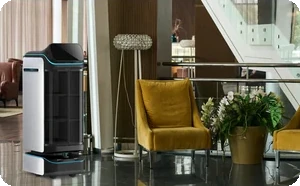
Hotels, restaurants, hospitals, offices and residential buildings
Deployment type
Mapped autonomous deployment with lift integration, SPARK site assessment, training and support
Handle bigger, busier deliveries without adding staff
Restaurants and hotel catering teams move large orders, dishes and tray returns, often with their hands full.
Large orders do not fit small robots
Bulky or multiple items need several trips.
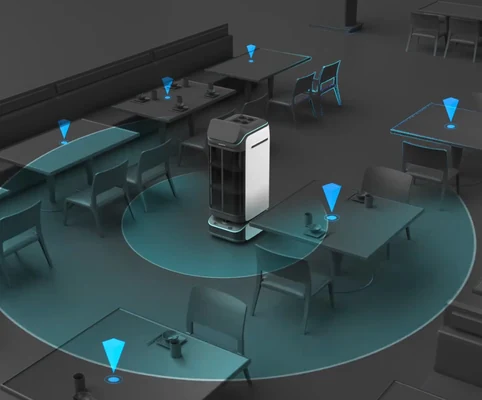
Spacious storage.
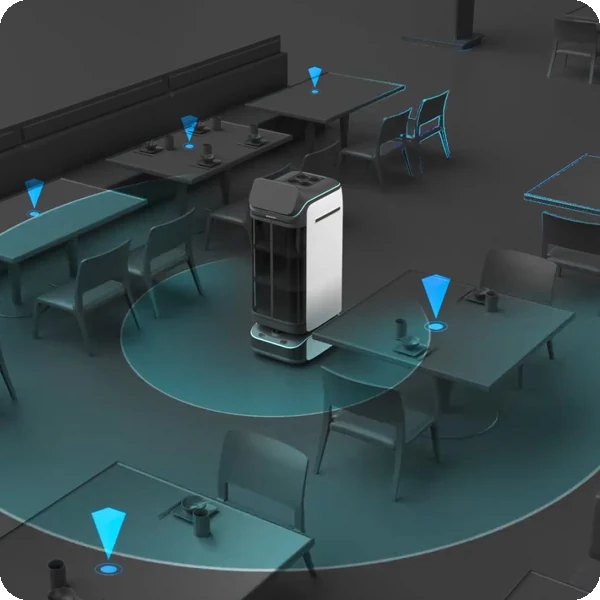
T3’s 180 L storage capacity provides ample room for versatile deliveries, with up to 20 delivery points per run.
Staff carrying dishes cannot press buttons
Opening and closing robot doors with full hands is awkward.
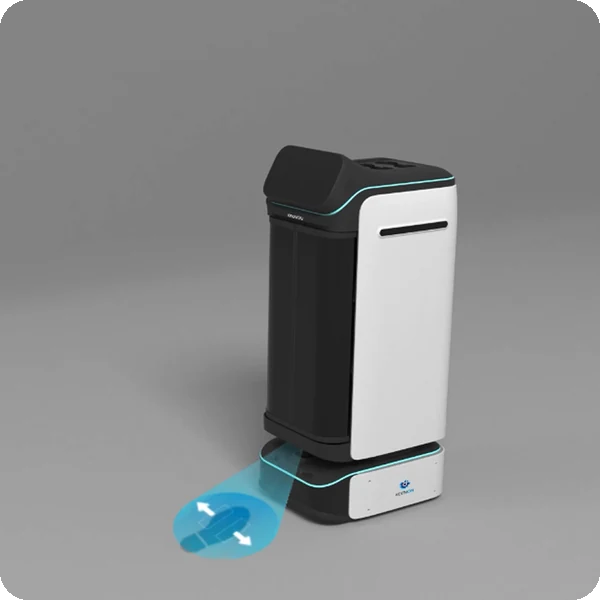
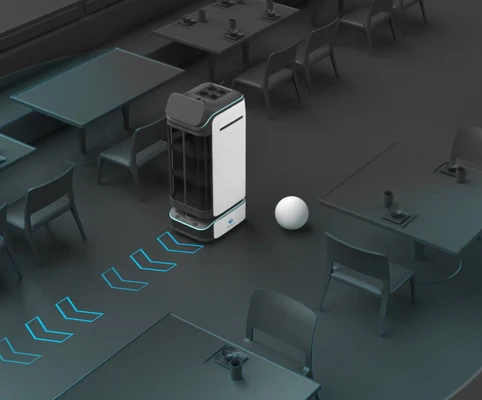
Projection interaction
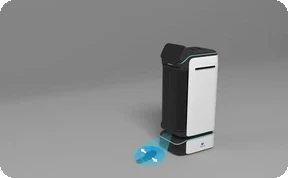
At the destination T3 projects a shape on the floor; a simple step activates the automatic doors, keeping hands free. The doors are password-secured too.
Calling a robot takes too long
Staff and guests waste time finding or requesting the robot.
Smart calling
With a press of the optional Call Button, T3 comes straight to your location to be loaded.
Deliveries stop at the lift
Most robots cannot reach other floors without help.
Floor-to-floor service
T3 summons lifts to its floor and guides them to the chosen destination for seamless multi-floor delivery.
Key outcomes
High-capacity delivery
Carry more in every trip. T3’s enclosed storage suits dish serving, tray return and multi-table orders.
180 L storage · 40 kg load · up to 20 delivery points · enclosed, ventilated cabin with auto-closing doors.
Offers a strong return in high-traffic environments.
Seamless Safety
Assurance
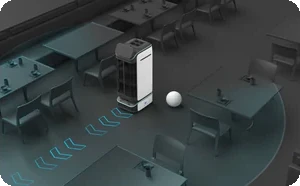
Navigate confidently in busy venues. Advanced LiDAR and triple stereo vision sensors watch the surroundings.
LiDAR · triple stereo vision sensors · obstacle avoidance · 200 × 200 m coverage area.
Prevents accidents and keeps every journey smooth.
Hands-free interaction
Make loading and collection easy. Step-activated doors and an optional Call Button simplify every step.
Step-activated, password-secured doors · remote calling and Call Button · smart touchscreen.
Keeps staff and guests’ hands free while carrying dishes.
Long working days
Work long shifts on a single charge, docking to recharge automatically at the optional Charging Pile.
Up to 12 h battery · 5 h charging · auto-docking with the optional Charging Pile · 0.1–1.0 m/s.
Minimises downtime and manual charging.
What powers the T3's dynamic service
Spacious storage
Projection interaction
Smart calling
Floor-to-floor service
Seamless safety
Secure and hygienic
How it works
01.
Map or configure
Prepare T3 for your venue. Floors, rooms and lifts are mapped and integrated, and call buttons are set up.
What the T3 handles
Uses LiDAR and stereo vision to map the venue and links with lifts.
Where people step in
Initial mapping and lift integration require human input.
The exact SPARK deployment process TBC
02.
Run the workflow
Staff call T3, load its storage and send it on its way. It rides lifts, delivers to up to 20 points and uses floor projection for hands-free doors.
What the T3 handles
Carries out multi-point delivery, lift riding, obstacle avoidance and auto-docking.
Where people step in
Staff load items and assign destinations; recipients collect from the cabin. Exact exception procedures TBC
03.
Monitor and improve
Keep deliveries aligned with demand, controlling T3 remotely and adjusting routes as needed.
What the T3 handles
Supports remote control and status monitoring.
Where people step in
People remain responsible for reviewing performance and deciding when adjustments, maintenance or further configuration are needed. TBC
Use cases and environments
Product in action
T3 smooth and steady delivery
T3 safe operation with 360° obstacle avoidance
Technical specifications
Specification
- Load capacity
- Storage
- Multi-point delivery
- Moving speed
- Coverage area
- Door control
- Calling
- Noise
T3
- 40 kg
- 180 L
- Up to 20 tables / destinations
- 0.1–1.0 m/s
- 200 × 200 m
- Step-activated, password-secured doors
- Remote calling, Call Button (accessory)
- TBC
Specification
- Machine dimensions
- Machine weight
- Min. passing space
- Cabin
- Interface
- Shock absorption
- Compartment layout
- Colours
T3
- 496 × 623 × 1351 mm
- 71 kg
- 75 cm
- Enclosed, ventilated, auto-closing doors, interior disinfection light
- Smart touchscreen
- 4th-generation automotive-grade chassis
- 42.2 × 57.5 cm per layer
- TBC
Specification
- Sensors
- Obstacle avoidance
- Lifts
- Slope angle
- Path tracking
- Security
- Door integration
- Safety certification
T3
- LiDAR + triple stereo vision
- 360°
- Summons and rides lifts
- ≤ 5°
- Intelligent
- Password-secured doors
- TBC
- TBC
Specification
- Battery life
- Charging time
- Auto docking
- Operation
- Battery capacity
- Battery type
- Charging station
- Swappable battery
T3
- Up to 12 h
- 5 h
- Supported (optional Charging Pile)
- Up to 12 h per charge
- TBC
- TBC
- Charging Pile (optional accessory)
- TBC
Specification
- Remote calling
- Remote control
- Lift integration
- Touchscreen
- PMS integration
- Network
- Software updates
- Fleet management
T3
- Supported
- Supported
- Supported
- Smart interface
- TBC
- TBC
- TBC
- TBC
Specification
- Environment
- Slope angle
- Min. passing space
- Coverage area
- Ingress protection
- Operating temperature
- Max. threshold height
- Floor types
T3
- Indoor restaurants, fine dining and hotel catering
- ≤ 5°
- 75 cm
- 200 × 200 m
- TBC
- TBC
- TBC
- TBC
Specification
- Calling accessories
- Charging dock
- Storage cabin
- Lift module
- Shelves / dividers
- Spare battery
- Other accessories
- Spare parts kit
T3
- Optional Call Button and Notification Bell
- Charging Pile (optional accessory)
- 180 L
- TBC
- TBC
- TBC
- G-BOX
- TBC
Deployment and integration
From site survey to launch, SPARK prepares your robot for your site, your workflow and your team.

01 — Site survey
We assess your requirements and site conditions to help plan your robot deployment.

02 — Mapping
The operating area is mapped for autonomous operation before handover.
03 — Workflow design
We develop a deployment plan around your site and operational requirements.

04 — Integration
Integration requirements are assessed for each deployment, while tasks, schedules and reports are managed through the app.
05 — Training
SPARK provides user training as part of its after-sales support.

06 — Launch
Launch follows completion of site preparation, mapping, workflow setup and training.

Site Assessment
Understand the facility, floor types, traffic patterns and operational requirements.
Robot Deployment
Introduce the robot into daily operations with minimal disruption.
Mapping
Configure operating areas and routes according to the environment.
Remote Monitoring
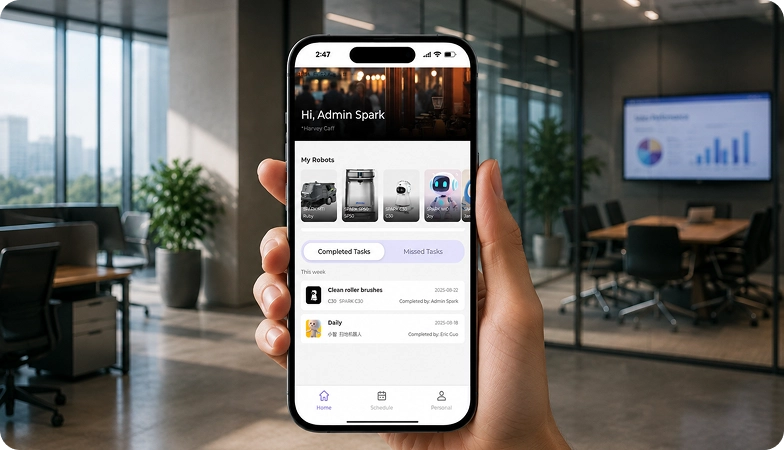
Monitor robot operations and receive performance information through the app.

Training & Handover
Provide operators with the knowledge needed to manage the robot day to day.

Ongoing Optimization
Adapt maps and update software as the facility evolves.

Training & Handover
Provide operators with the knowledge needed to manage the robot day to day.

Remote Monitoring
Monitor robot operations and receive performance information through the app.

Ongoing Optimization
Adapt maps and update software as the facility evolves.

Site Assessment
Understand the facility, floor types, traffic patterns and operational requirements.

Mapping
Configure operating areas and routes according to the environment.

Robot Deployment
Introduce the robot into daily operations with minimal disruption.
What SPARK adds
We are not a box shifter. Deployment covers site survey, mapping, workflow design, integration planning, training and launch — so your robot arrives configured for your building rather than dropped at your loading bay.
If the survey shows the robot is wrong for your site, we will say so.
upSPARK and ongoing support
From installation and user training to software updates and on-site maintenance, we provide full after-sales support.

Technology That Keeps Improving
Every SPARK robot is managed through its manufacturer app and cloud platform, where operators can schedule tasks, monitor each robot remotely and review performance reports. SPARK supports you from installation and training through to software updates and maintenance.

maintenance tasks
Routine maintenance is kept simple, with clear schedules for brushes, filters, tanks and other consumables. SPARK guides your team through each task so the robot stays ready to work.

scheduling
Tasks and schedules can be set and adjusted through the app or control panel, so the robot works at the times that suit your site, including out of hours.

guided maintenance
SPARK provides step-by-step guidance for maintenance tasks, helping your team keep the robot running reliably with minimal downtime.

expert support
Our UK-based team provides expert after-sales support, including troubleshooting, on-site maintenance and help with optimising your robot routines.
Safety, compliance and governance
Compliance
Certification and conformity
Declaration of Conformity and certification documents for this robot are available on request for technical and procurement review.
Obstacle handling and safety
360° Environmental Awareness
SPARK robots use onboard sensors to detect obstacles, slow down or stop, and reroute where required. Detailed safety behaviour is covered in the product documentation.
Operating boundaries
Mapped operating areas
The robot operates within the mapped areas and configured routes set up during deployment. Operating conditions are listed in the technical specifications above.
Data and privacy
App and cloud management
Tasks, schedules and reports are managed through the manufacturer app and cloud platform. Details of data handling and privacy are shared as part of deployment planning.
Documents for review
Documentation pack
The user manual, specification sheet and conformity documentation can be shared for technical and procurement review.
Choosing between Spark hotel robots
FlashBot Arm
ButlerBot W3
T3
Frequently asked questions
Questions about using the T3 at your site
What can T3 deliver?
Dishes, tray returns and multi-table orders for restaurants, fine dining and banqueting, with 180 L of storage and up to 20 delivery points per run.
How much can T3 carry?
Up to 40 kg in its 180 L enclosed storage.
Can T3 use lifts?
Yes. It summons lifts to its floor and guides them to the chosen destination for floor-to-floor service.
How do staff call T3?
With a press of the optional Call Button, T3 comes straight to your location. Keenon also supports remote calling.
How do doors open and close hands-free?
The doors are step-activated: at the destination T3 projects a shape onto the floor, and stepping on it triggers the automatic doors. The doors are also password-secured.
How long can T3 operate?
Keenon gives up to 12 hours per charge. T3 charges in about 5 hours and docks automatically at the optional Charging Pile.
How do I request engineering support if there is a problem?
Contact the SPARK support team. We provide after-sales support including troubleshooting, software updates and on-site maintenance for your T3.